
Everything a newsletter needs. Nothing it doesn’t.
LetterWP turns your WordPress posts into a newsletter, sent from your own domain to a list that lives in your own database. Here is everything in the box.
Write · Move in · Design · Deliver · Grow · Own · Left out
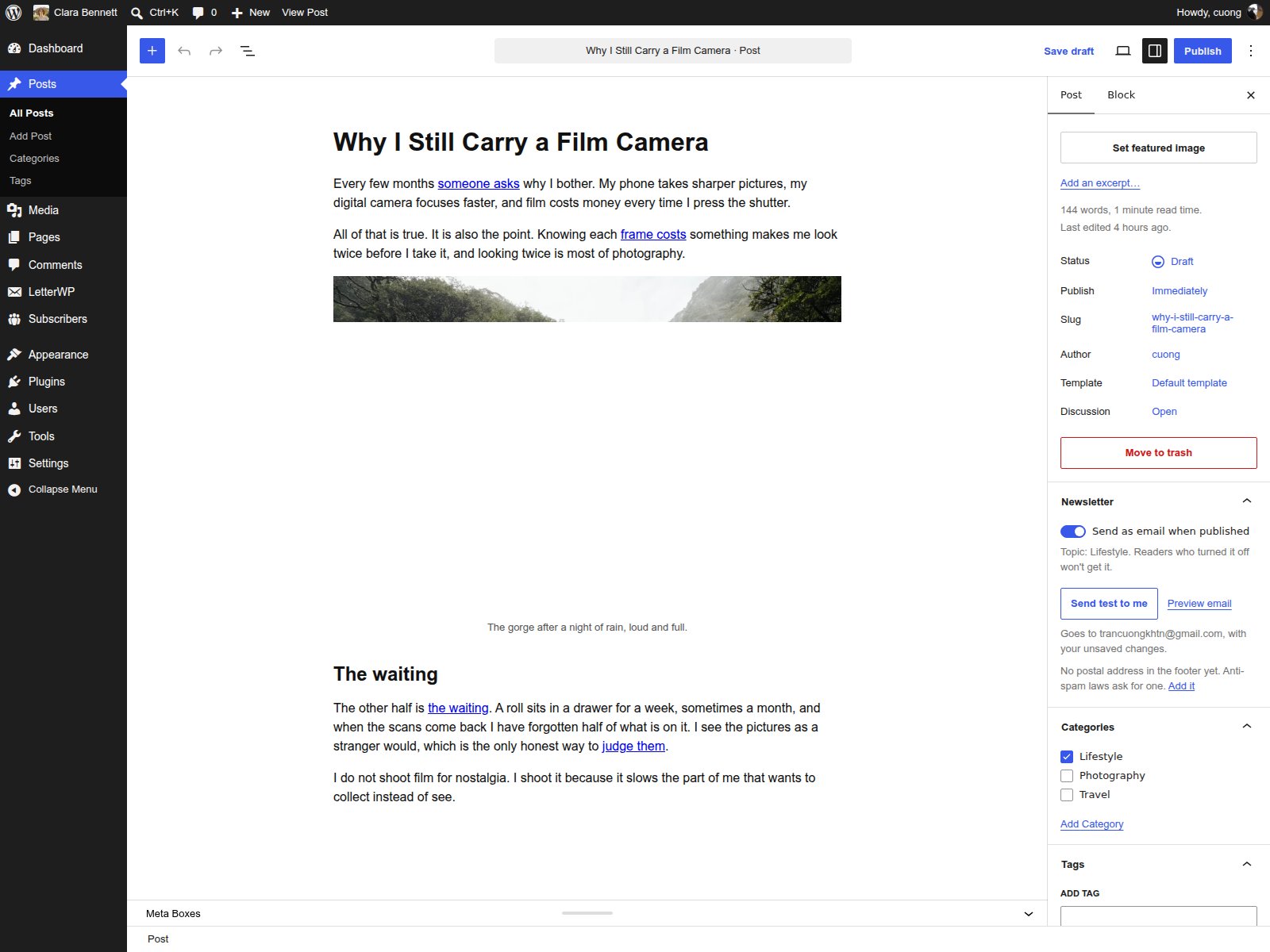
The post is the email.
Write in the block editor you already know. A Newsletter panel in the post sidebar does the rest.
Send on publish
Turn on Send as email and publish. New posts have it on by default.
Test emails
The real email in your own inbox, with your unsaved changes.
Email preview
Open it in a new tab before anyone else sees it.
Reader count before sending
The publish check tells you how many readers it goes to.
Never sends twice
Editing a published post never re-sends it. Scheduled posts send when they go live.
Send by topic
Each post goes out under one of its categories. Readers who turned that topic off don’t get it.
Bring your readers with you.
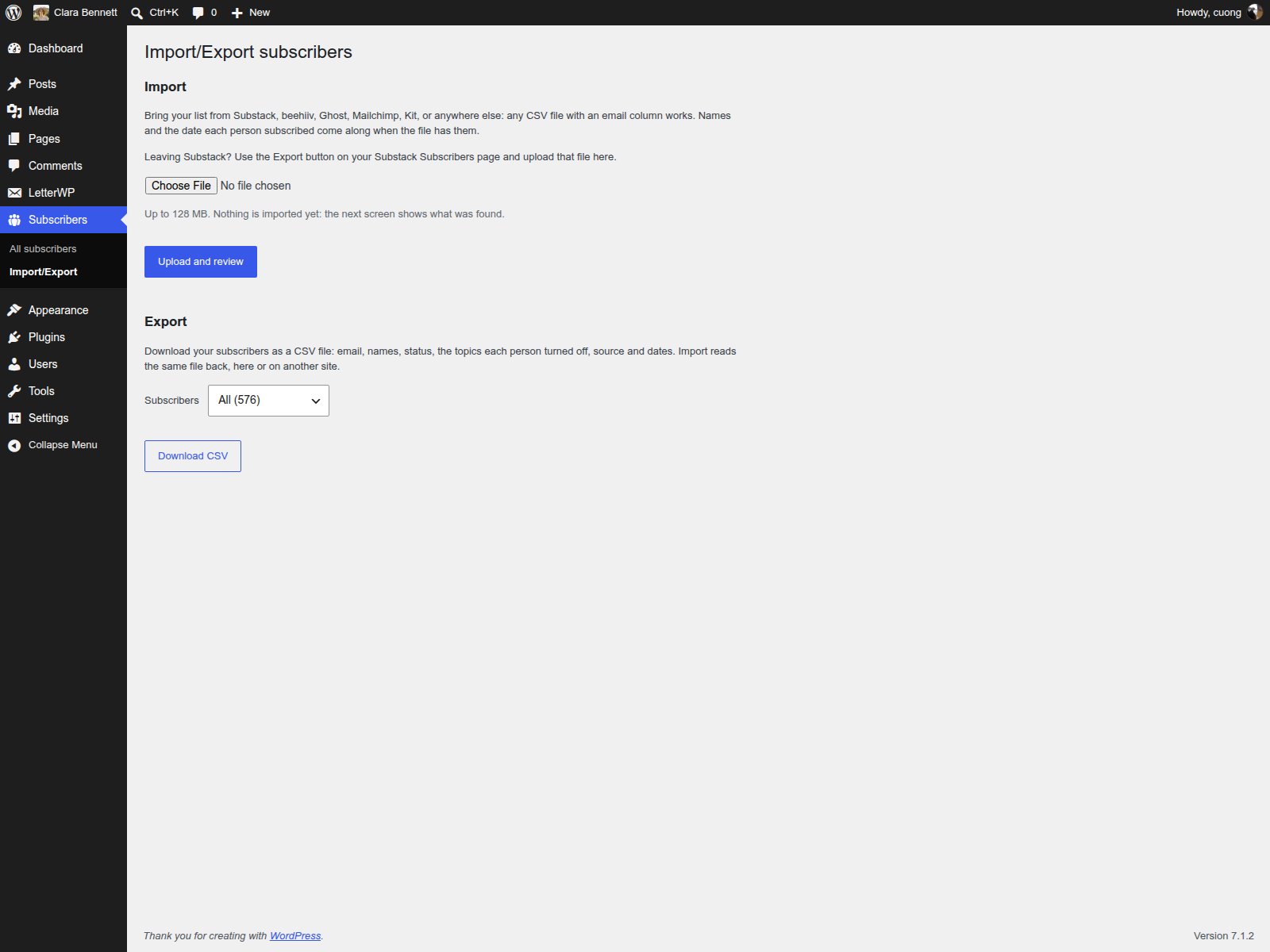
Leaving Substack, beehiiv or Mailchimp? Export your list there and upload it here.
CSV import
From Substack, beehiiv, Ghost, Mailchimp, Kit or anywhere else: any file with an email column.
Substack import
Upload Substack’s export without editing it. LetterWP knows its columns.
Keeps names, dates and status
Names and subscribe dates come along. Readers who unsubscribed there stay unsubscribed.
Preview before import
You see what was found before anything is imported.
Duplicate detection
The same email twice in a file is counted once.
Done-for-you migration
Our first customers get a hands-on migration.
Your brand, not ours.
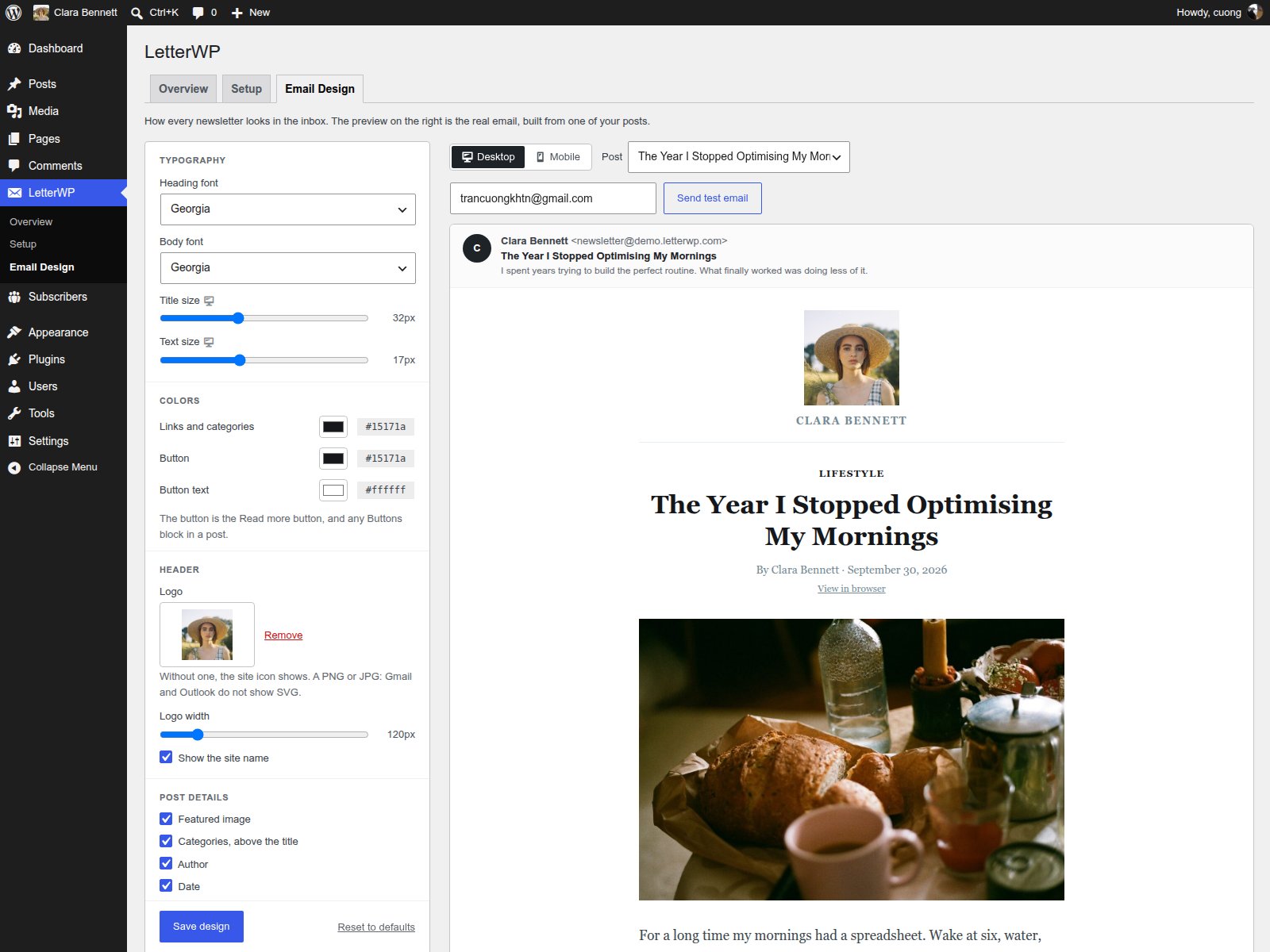
Set how every email looks once, with a live preview of a real post from your site.
Fonts and sizes
Heading and body fonts. Title and text sizes for desktop and mobile.
Colours and logo
Links, buttons, button text, your logo and its width.
Show or hide post details
Featured image, categories, author, date. The full post, or an excerpt with a Read more button.
Live preview
Desktop and mobile tabs, from any post. Send it as a test before you save.
Blocks converted for email
Quotes, buttons, tables and code, styled for mail apps. Videos become a thumbnail with a play button.
Footer with unsubscribe link
Your postal address and a one-click unsubscribe. The small LetterWP credit turns off in one click.
Sent from your own domain.
LetterWP sends through your own Resend account, so the sender reputation you build is yours.
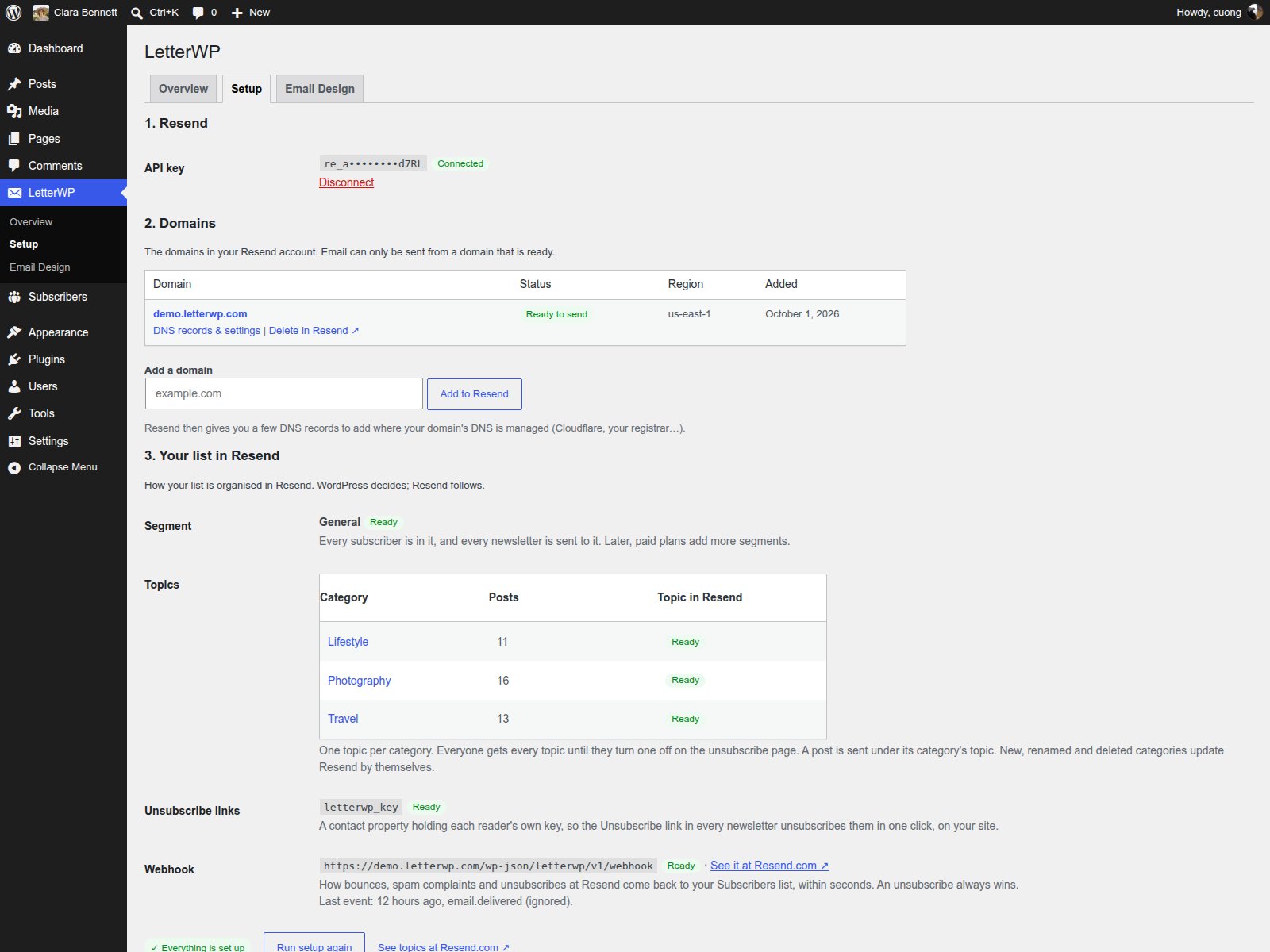
Domain and DNS check
Reads your domain’s DNS status from Resend and won’t send until it’s ready.
DMARC check
Resend checks SPF and DKIM. LetterWP checks DMARC too, and gives you the record to copy.
Bounce and spam handling
Bounced addresses and spam complaints are marked at once and never emailed again.
Delivery report per post
Delivered, bounced, marked as spam and unsubscribed. Rates turn red above Resend’s limits.
One-click unsubscribe
In every email’s footer. No sign-in, no “are you sure” maze.
No tracking pixels
LetterWP doesn’t count opens or clicks. Your readers aren’t watched.
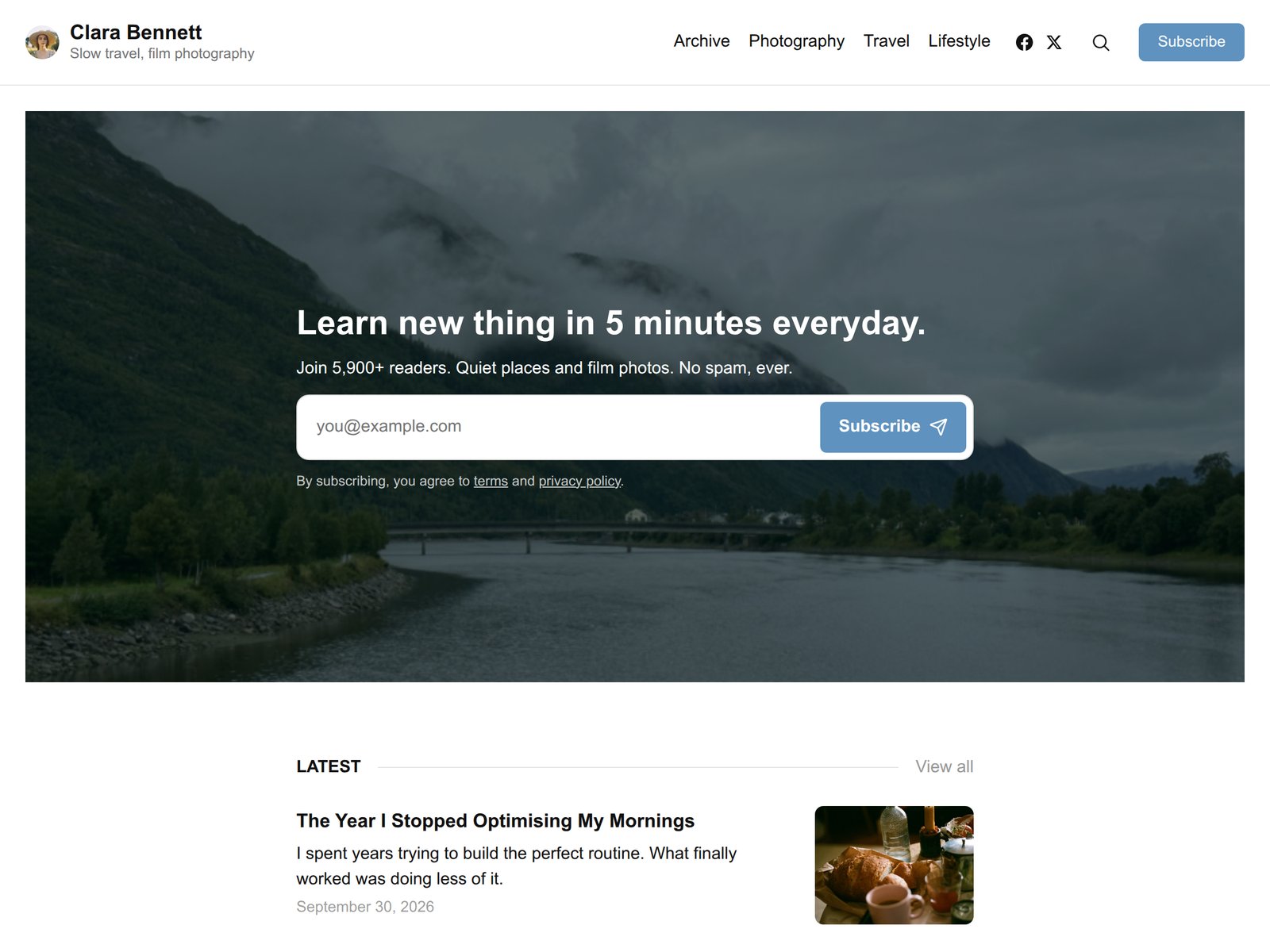
Readers join and look after themselves.
A subscribe form that fits any page and any theme. Readers sign in by email to choose what they get.
Subscribe block
A heading, the form and small print. Sizes and styles in the toolbar.
Shortcode
For classic themes and page builders: one line, anywhere a shortcode works.
Double opt-in
Readers confirm by email, so your list stays clean.
Spam protection without captcha
A hidden honeypot field and rate limits keep bots out without puzzles.
Magic-link sign-in
No passwords and no WordPress accounts. Readers get a link by email.
Topic preferences
One topic per category. Readers turn off what they don’t want.
Your list lives in WordPress.
Subscribers are rows in your own database, not in someone else’s cloud. Resend gets a copy, not the original.
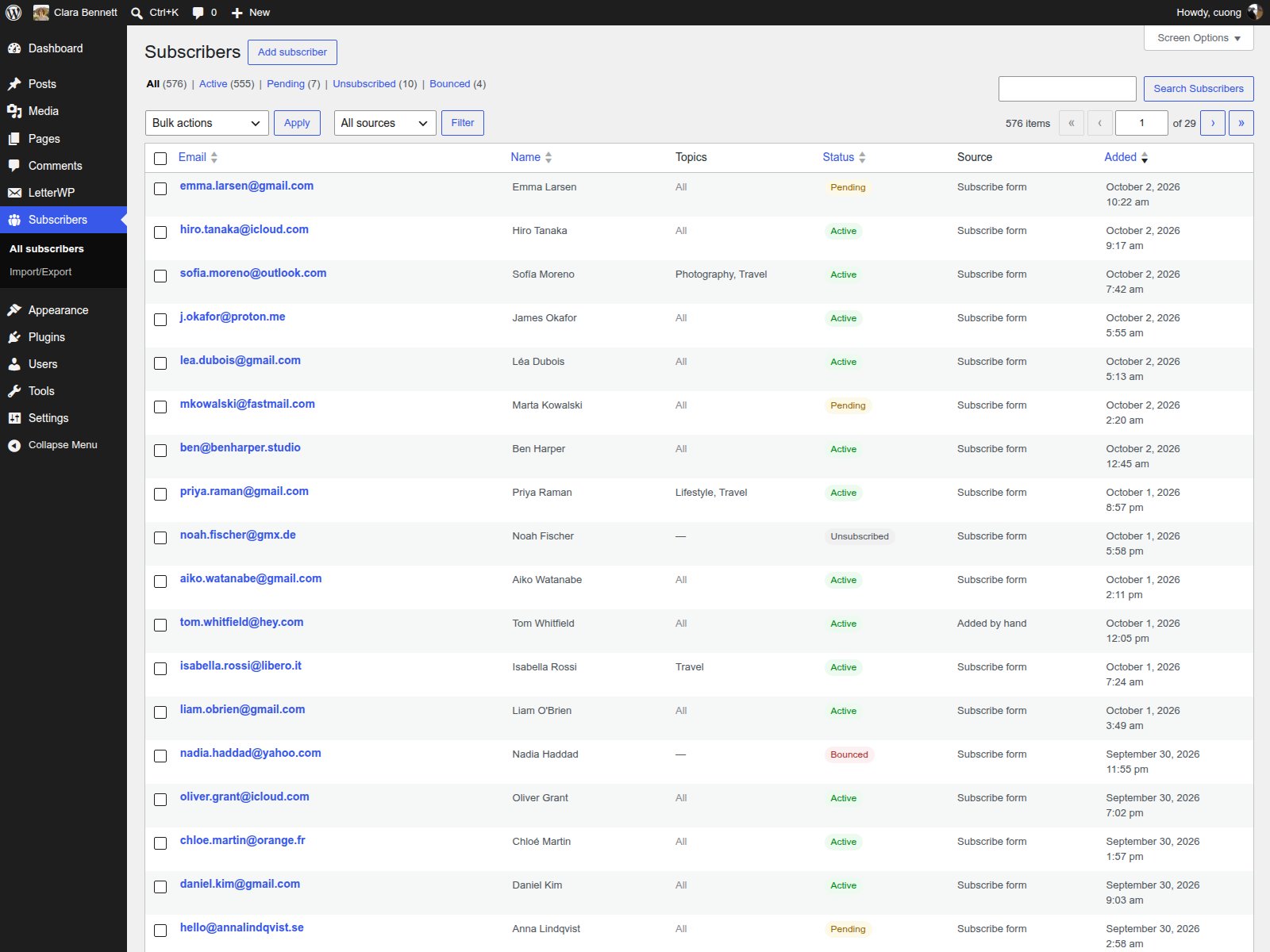
Separate subscriber table
Subscribers live in LetterWP’s own table, apart from your WordPress users.
Subscriber management
Counts by status, search by email or name, add by hand. It works like Posts.
Edit subscribers
Name, status and topics, next to what Resend has for them, live.
Two-way Resend sync
Every change goes to Resend at once. One button checks everything.
Unsubscribes respected
Once a reader unsubscribes or bounces, you can’t add them back. Only they can.
CSV export
One click: names, status, topics, source and dates. No support ticket.
What we left out, and why
Every feature is one more thing to learn, set up and get wrong. These we skipped: most on purpose, a few for now.
No drag-and-drop builder
Builders turn every issue into a design job, and one broken column ruins it on a phone. Here you write the post. The email is already designed.
No open or click tracking
Open rates stopped meaning much once Apple Mail began loading every image. Write for your readers, not a dashboard, with no pixels to explain in your privacy policy.
No automations to build
No flows to draw, test and debug. You publish a post and your readers get it. That’s the whole system.
No new platform
Nothing new to log into, learn or migrate off later. It lives in the WordPress you already run, next to your posts.
One sending provider: Resend
One provider, set up properly: domain, DNS and DMARC checked for you. Your list stays in WordPress, so switching later is easy.
No paid subscriptions, yet
Grow your list first. Paid plans are coming next, with only Stripe’s fee and no 10% platform cut.
Missing something you can’t do without? Tell us. That’s how we decide what to build next.
Ready to own your newsletter?
30-day refund, no questions asked.